


Example design shown. This artwork is not included—your final skin will use the image, artwork, logo, or text you add in the customizer.
iPhone 17 Pro Max Camera Bar (Plateau) Custom Skin
4.80
(712 reviews)
$9.95
Create a custom skin that is uniquely yours. Upload your favorite photo, artwork, logo, pattern, or original design using our online customizer, preview the placement, and personalize your device with a premium vinyl skin made to fit your exact model.
- Upload Your Own Design
- Preview It Before Ordering
- Premium Vinyl Built to Last
- Precision Cut for Your Device
Premium Materials
Premium vinyl adds grip and helps resist fingerprints, scratches, and scuffs.
Perfect Fit
Precision-cut for your exact device without unnecessary bulk.
Easy Application
Bubble-free installation and clean removal without sticky residue.
Goof Policy
Mess up? One replacement is available; shipping & handling apply.
Material & Pattern Gallery
Your Design. Your Device.


Easy to install.
We’ve got your back.
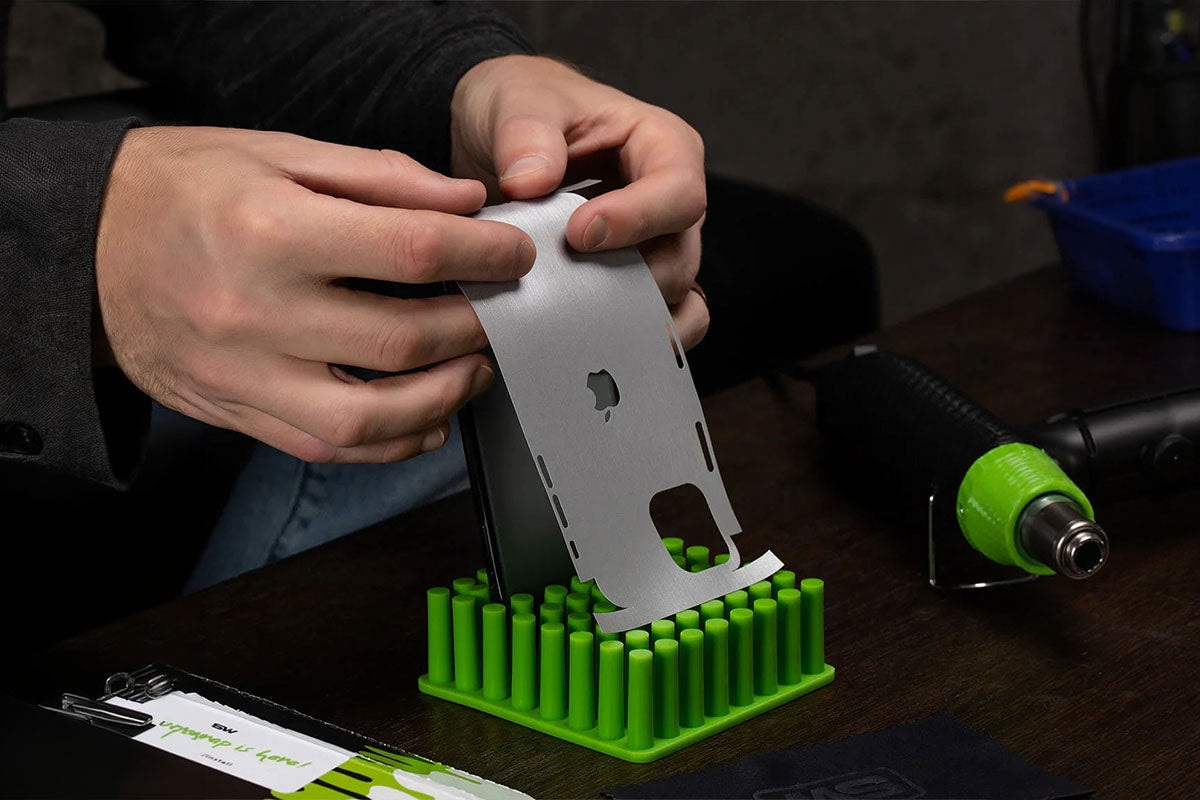
Watch a quick install video, follow the step-by-step guide, or contact our support team.
Product details
Everything you need to know
Description
The SlickWraps Customizer puts you in full control of your device’s style—even the iPhone Camera Bar (Plateau). Upload your own images, whether it’s artwork, a photo, or a business logo, and design a one-of-a-kind wrap that truly sets your device apart.
This kit includes two variants so you can choose the coverage style you prefer:
Wrap-Around Edge: Protects the entire camera bar including the curved edges. (Heat — hair dryer or heat gun — is required for proper installation of this variant.)
Flat Surface Cover: Shields only the top surface of the camera bar, without wrapping over the edge.
👉 This protection cover is especially designed for people who use a phone case and want extra protection for the camera bar (Plateau).
- Custom Fit – Designed specifically for iPhone 17 Pro Max camera bar (Plateau)
- 2 Variants Included – Edge wrap + flat surface option
- Scratch & Scuff Resistant – Safeguards against daily wear and scuffs
- Easy to Apply – Bubble-free installation with strong adhesive
- Case Compatible – Works with most iPhone cases
- Made in the USA
Compatibility
Designed for iPhone 17 Pro Max Camera Bar (Plateau). Confirm your exact device model before ordering.
What’s Included
- iPhone 17 Pro Max Camera Bar (Plateau) Custom Skin
- A complimentary application kit when applicable; contents vary by device.
- This product is a vinyl skin, not a case.
- The device shown in the product photos is for demonstration only and is not included with your purchase. It is shown so you can see how the selected skin will look after installation.
Shipping & Returns
Most orders ship the same business day, though larger-quantity orders may require 1–3 business days. Available USPS, UPS, FedEx, and GlobalPost services are shown at checkout based on your destination.
Unused, unapplied non-custom products may be returned within 14 days of delivery.
Custom products: Design Your Own and other custom products are final sale and are not eligible for return, refund, or exchange.
See our Shipping & Delivery and Return & Refund Policy for complete details.
Frequently Asked Questions
Do the skins affect the functionality of the device?
Our skins are specifically designed not to affect the functionality of your devices. We go through extensive testing with various individuals to ensure that our skins have no negative impact on device performance.
Can I change or remove the logo cut-out on my skin?
If a logo cut-out option is available on the product page, select your preference before adding the skin to your cart. If no logo option is shown, enter your request in the order note during checkout and clearly state whether you want the logo cut-out included or removed.
Will the skin leave residue when removed?
No. Slickwraps premium adhesive is designed to remove cleanly without leaving sticky residue.
Can I use the skin with a case?
Most cases work with a skin, but very tight-fitting cases may not. Compatibility depends on the device, selected skin coverage, and the case.
What protection does a skin provide?
A skin helps protect your device’s exterior from everyday scratches, scuffs, fingerprints, and wear while adding grip without unnecessary bulk.
Why is heat important during installation?
Heat is especially important on curved or non-flat surfaces. A hair dryer or heat gun increases the vinyl’s flexibility, activates the adhesive, and helps smooth edges. If you notice a wrinkle, gently lift the affected area, apply heat, and reapply the skin from the center outward using a windshield-wiper motion.
Why does my uploaded image look lower quality in the preview?
The customizer may temporarily reduce the image resolution shown on screen to keep the preview fast and responsive. This does not reduce the production file: the print-ready artwork is generated from your original upload. For the best result, upload the highest-resolution original image available.
What happens to transparent areas in a PNG file?
Slickwraps does not print custom designs on clear material. If you upload a transparent PNG and do not select a background color, the transparent areas will print white by default.


