
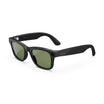

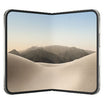


Honeycomb
4.80
(741 reviews)
$17.00
$20.95
Honeycomb Series skins feature a dimensional hexagonal texture that adds grip and gives your device a clean, technical finish. Precision-cut premium vinyl delivers a slim, lightweight fit without unnecessary bulk.
- Dimensional Honeycomb Texture
- Added Grip & Technical Finish
- Precision-Cut for Your Device
- Removes Cleanly Without Sticky Residue
Premium Materials
Premium vinyl adds grip and helps resist fingerprints, scratches, and scuffs.
Perfect Fit
Precision-cut for your exact device without unnecessary bulk.
Easy Application
Bubble-free installation and clean removal without sticky residue.
Goof Policy
Mess up? One replacement is available; shipping & handling apply.
Easy to install.
We’ve got your back.
Watch a quick install video, follow the step-by-step guide, or contact our support team.

Product details
Everything you need to know
Description
The Textured Honeycomb Series Wraps for your device offers optimal protection and durability in the form of removable vinyl wrapped in a stylish honeycomb texture. Constructed from high-grade material and adhesive, these wraps ensure your phone remains shielded while still allowing for changes in style.
- Deep honeycomb texture & depth
- Protects from minor scratches and small drops
- Easy goo-free removal
- Made in the USA
Compatibility
Designed for Honeycomb. Confirm your exact device model before ordering.
What’s Included
- Honeycomb
- Devices and other items shown only to demonstrate the product are not included with your purchase.
Shipping & Returns
Most orders ship the same business day, though larger-quantity orders may require 1–3 business days. Available USPS, UPS, FedEx, and GlobalPost services are shown at checkout based on your destination.
Unused, unapplied non-custom products may be returned within 14 days of delivery.
See our Shipping & Delivery and Return & Refund Policy for complete details.


